Advanced File System Explorer
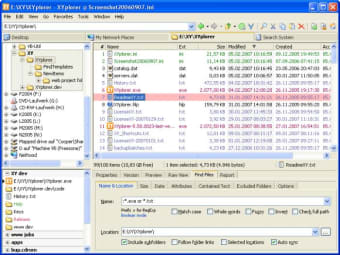
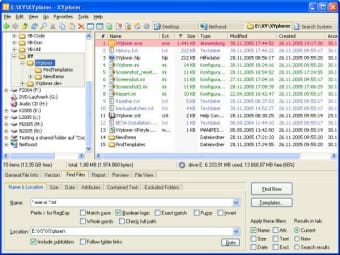
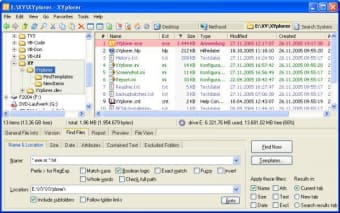
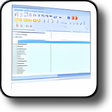
XYplorer is a simple to use file manager which replaces Windows Explorer with several enhanced functions and interface improvements.
Top Recommended Alternative

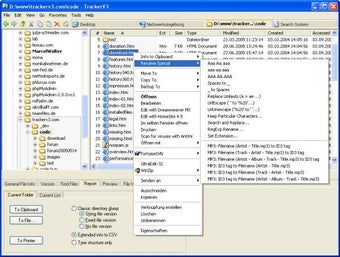
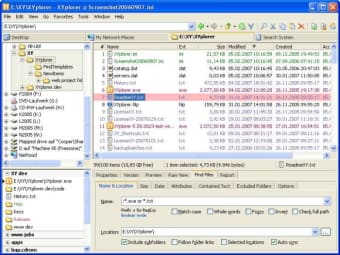
What's more, XYplorer is completely portable so you can put it on a USB stick and use it wherever you want and whenever you need it. The biggest advantage this program has over Windows Explorer is undoubtabley the Move and Copy dialogues. XYplorer allows you to configure hotkeys to carry out the most common copying and moving operations that you require meaning less mouse movements and faster management of your files and folders. XYplorer also removes the need for multiple folder windows along your taskbar because it employs the use of tabbed file management much in the same way as Firefox does with internet browsing. These tabs are fully customizable too - you can drag them around, rename them, hide them, lock them and much much more. This tabbed feature does give XYplorer a distinct browser style feel especially the featuring of an address bar which accepts not just folders, but also files, URLs, and search terms. This latter function can save hours of time searching through files by allowing you to search directly in XYplorer - without any need to use Windows search tool - simply by placing a "?" between the location and search pattern.
A truly impressive replacement for Windows Explorer - once you've used it you may never go back.
Highlighted Groups. A revolutionary display style where every group of files is highlighted depending on the sorted column Ignore Diacritics. Find Files, Visual Filters, Color Filters, Spot and Jump, Type Ahead Find now all optionally ignore diacritics (accents on letters: àçöñ...) and thus let you find or mark files with letters your keyboard cannot easily produce Replace with File in Clipboard. New optional context menu command to replace the contents of the selected file with the contents of the file currently in the clipboard